How to cancel your number order
If the Cancel option is available for your active number order, follow these steps:
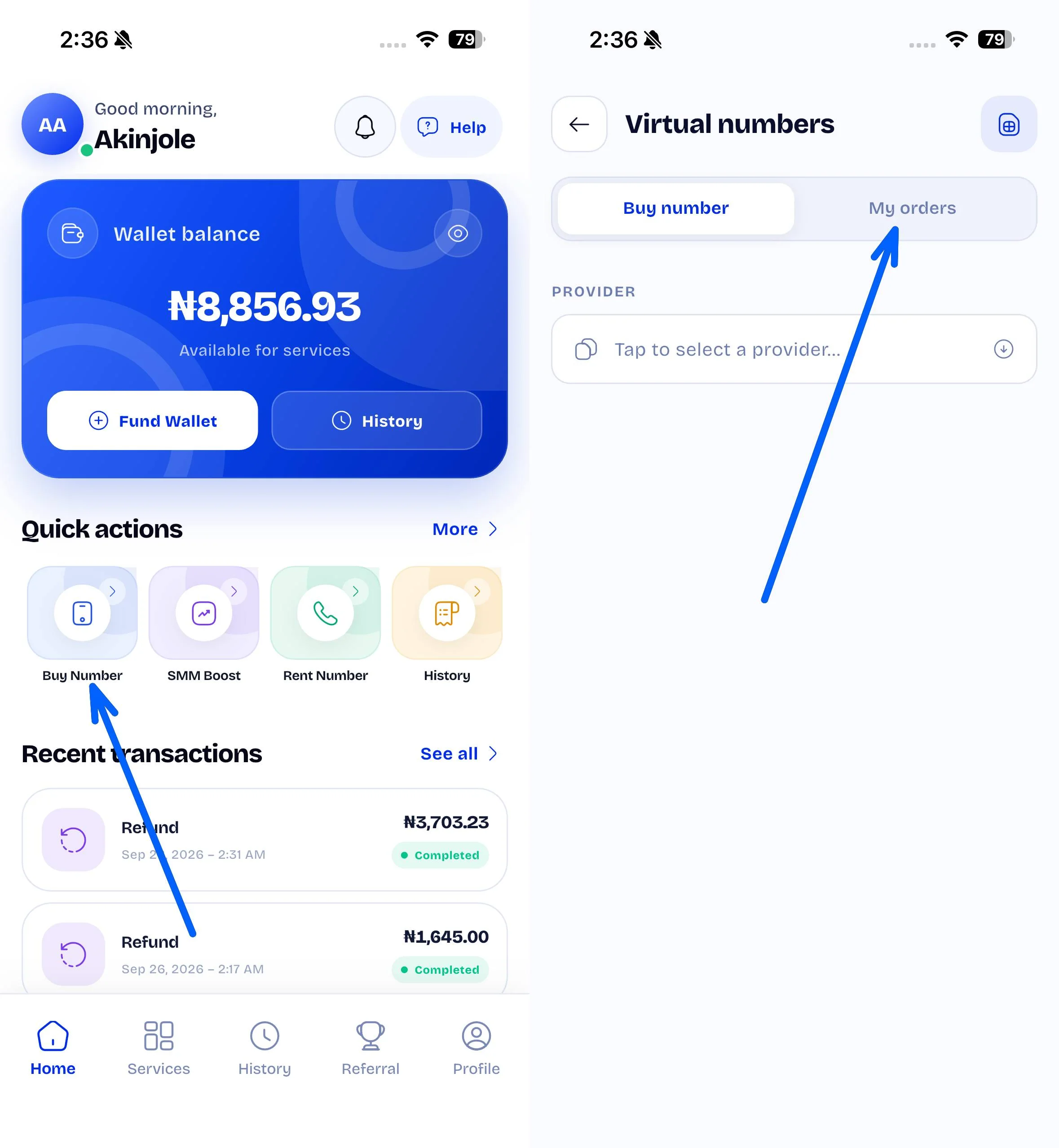
1. Open Buy Number in the Primex app.
2. Tap the Orders tab.
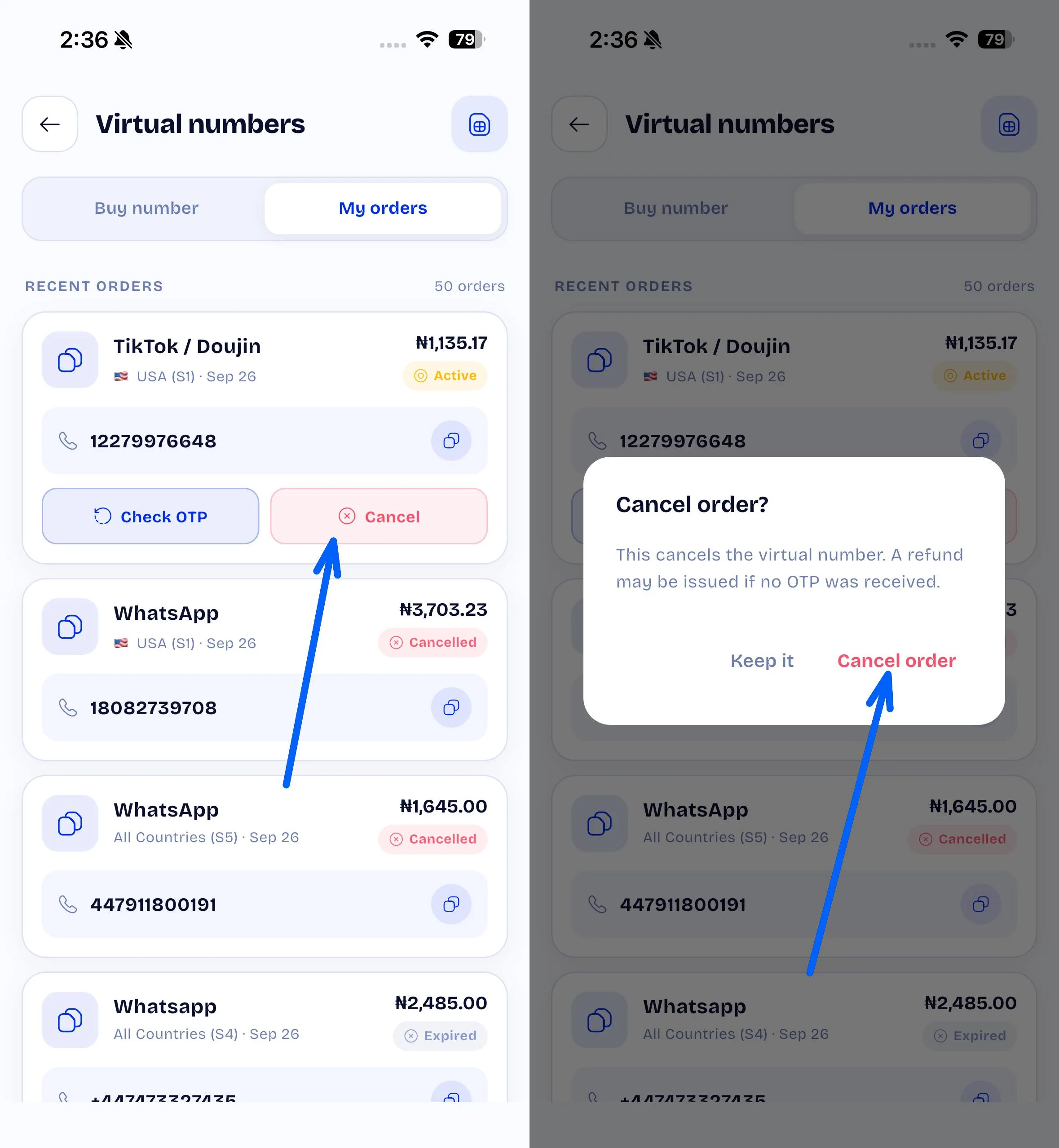
3. Find the number order you want to cancel.
4. Tap Cancel.
5. Review the cancellation prompt and tap Approve to confirm.
Once the cancellation is successful, the order status will update in your order history.
Cancellation availability depends on the order status and service. If a Cancel button is not available, the order may already be completed, expired, or not eligible for cancellation.