
Important update for Canada WhatsApp numbers 🇨🇦
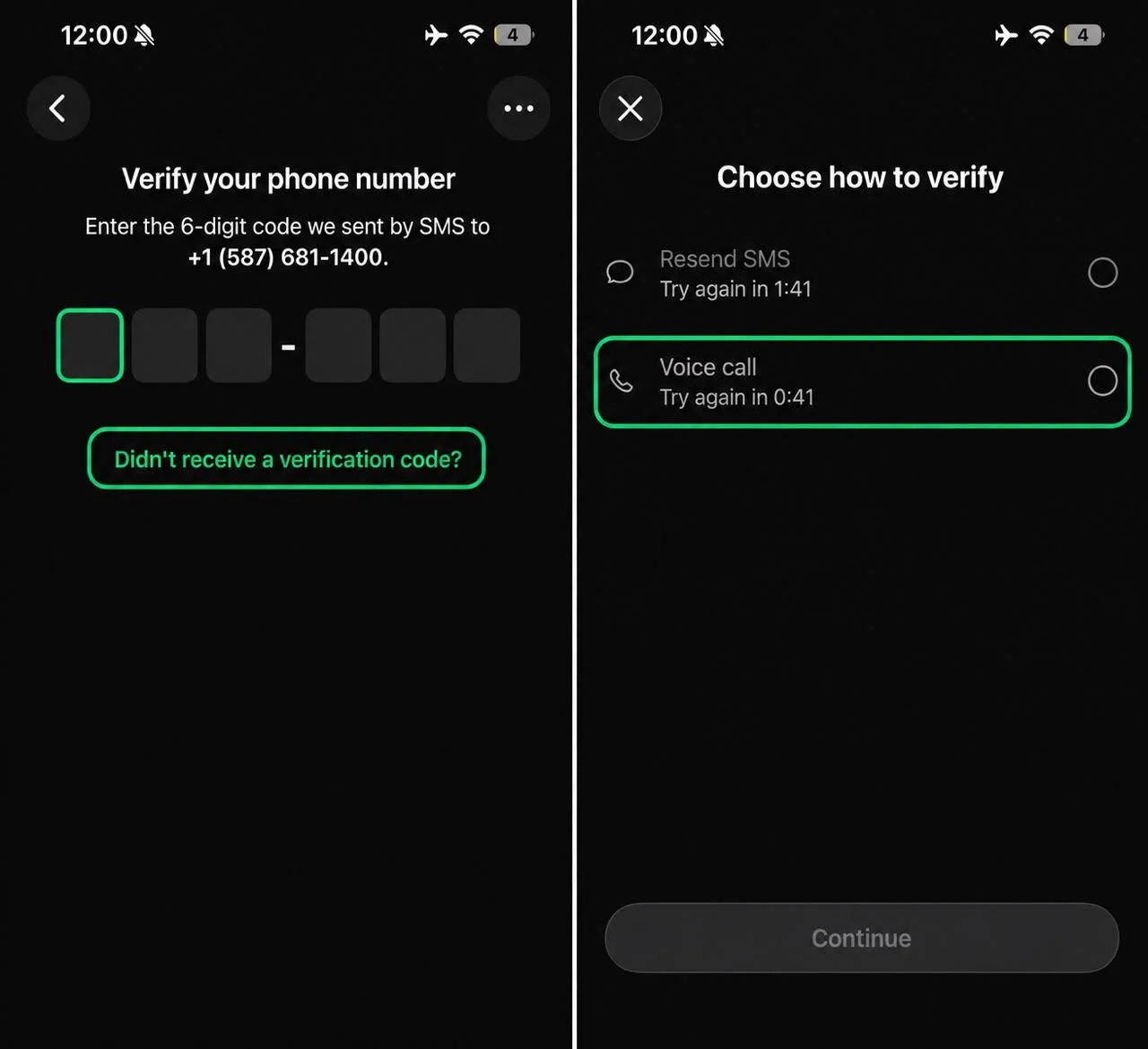
If you are not receiving a WhatsApp verification code on a Canada number, please use the voice-call option. Canada numbers may currently receive the verification code through a voice call instead of an SMS.
How to receive the code
1. Request the verification code on WhatsApp.
2. Tap “Didn’t receive a verification code?”
3. Wait for the voice-call countdown to finish.
4. Select “Voice call.”
5. Return to the Primex app and open Virtual Numbers → My History.
6. Wait around 5–10 seconds if the code does not appear immediately, then refresh/check the order again.
Avoid using WhatsApp Business with Canada numbers. WhatsApp may also ban or restrict an account in some cases. This is controlled by WhatsApp and does not necessarily mean there is an issue with the number.
Thank you for your understanding and continued support.